Four games, one account
Everything you need to know about the games on this site: how to play, every control, every mode, the weapons and cars, and the tricks the good players use. The numbers in the tables come straight from the live games, so they're always current.
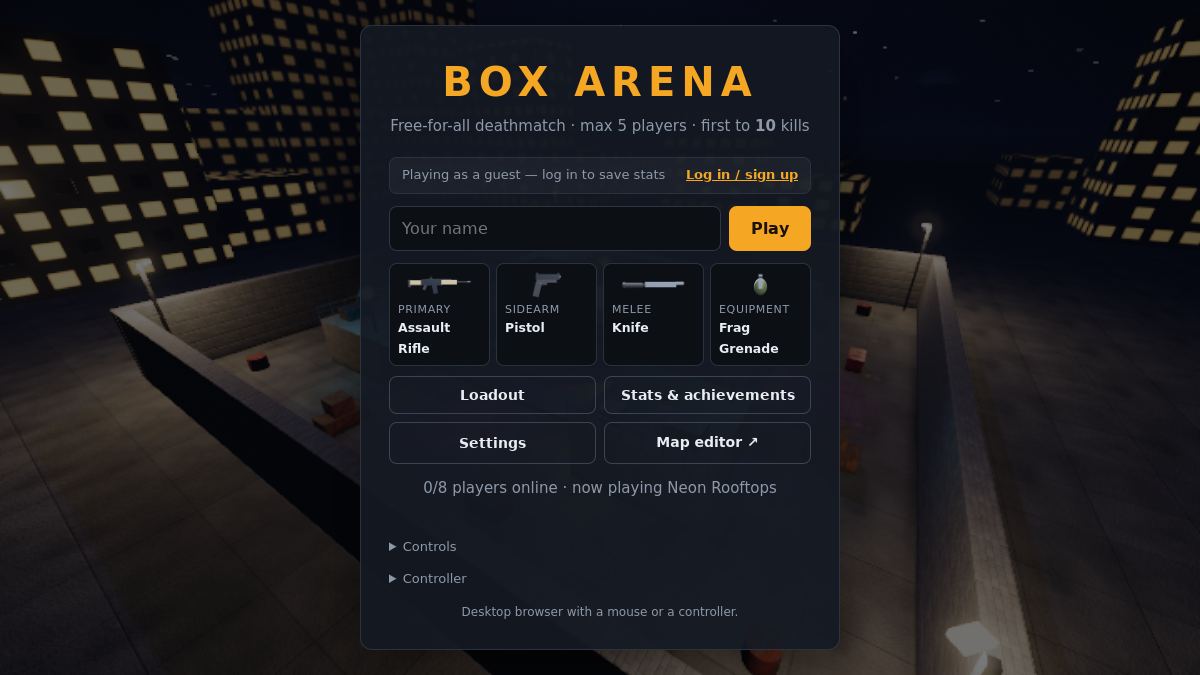
Box Arena
Fast first-person shooter. Deathmatch, teams, Gun Game, Capture the Flag and a 1-vs-all horror mode.
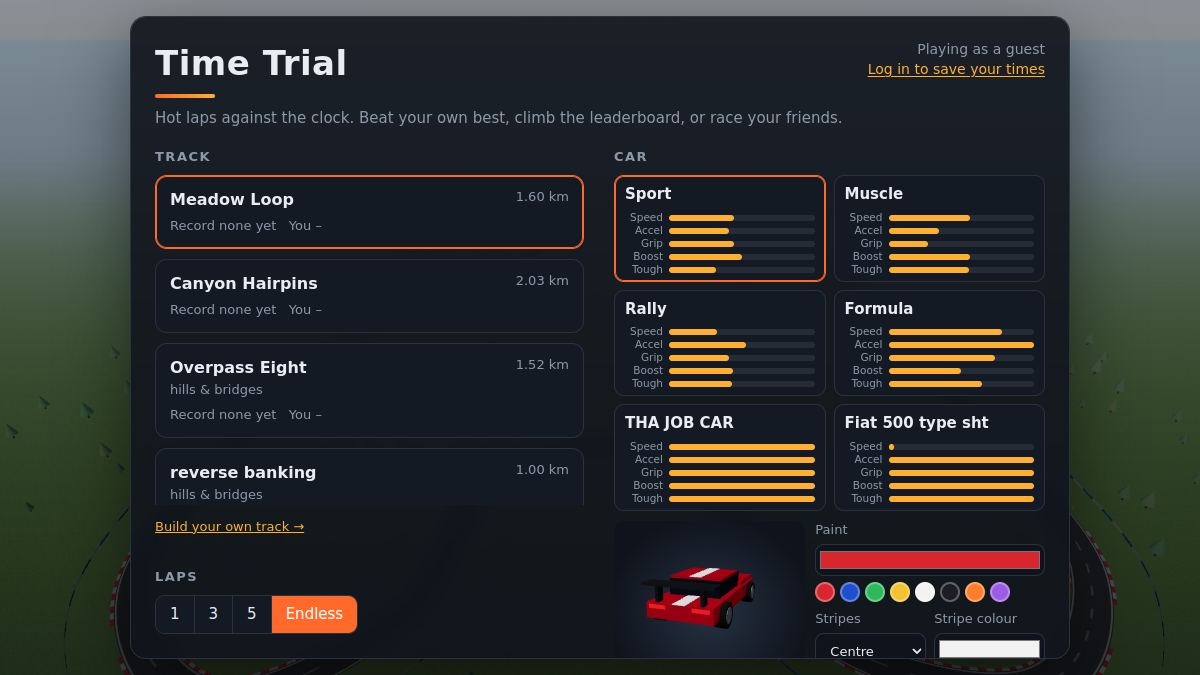
Time Trial
Hot laps against the clock and your own ghost, player-made tracks, and races with friends.
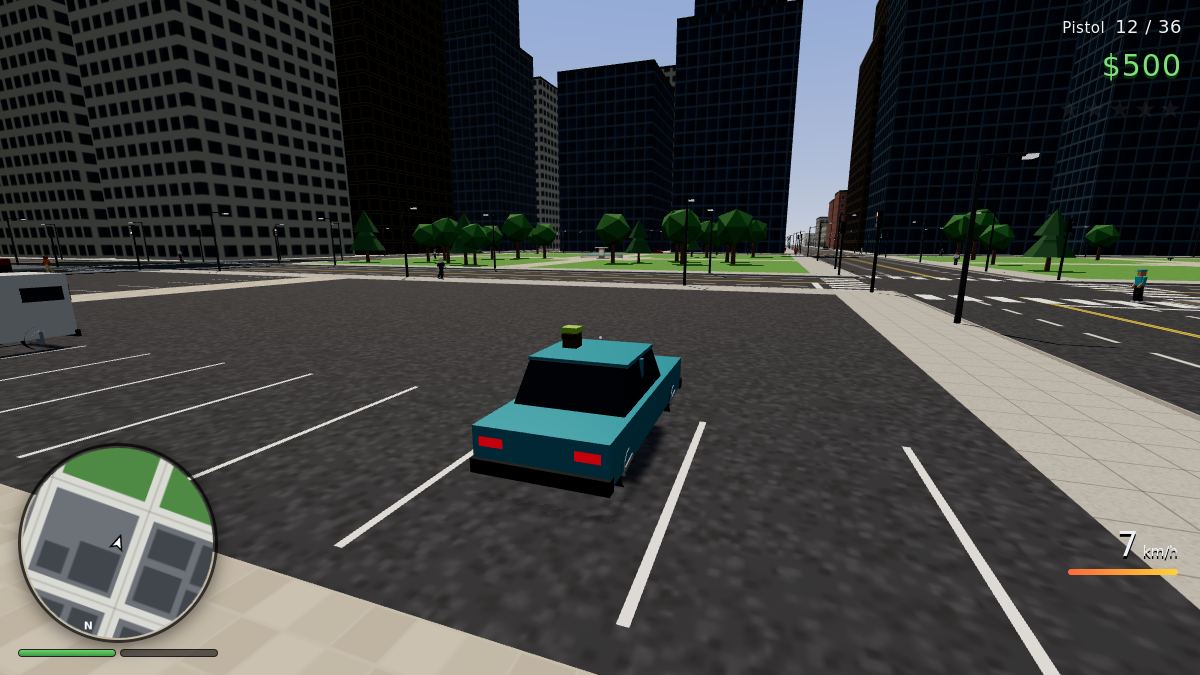
Box City
Open-world crime sandbox. Steal cars, take jobs, make money and outrun the police, with everyone in one city.
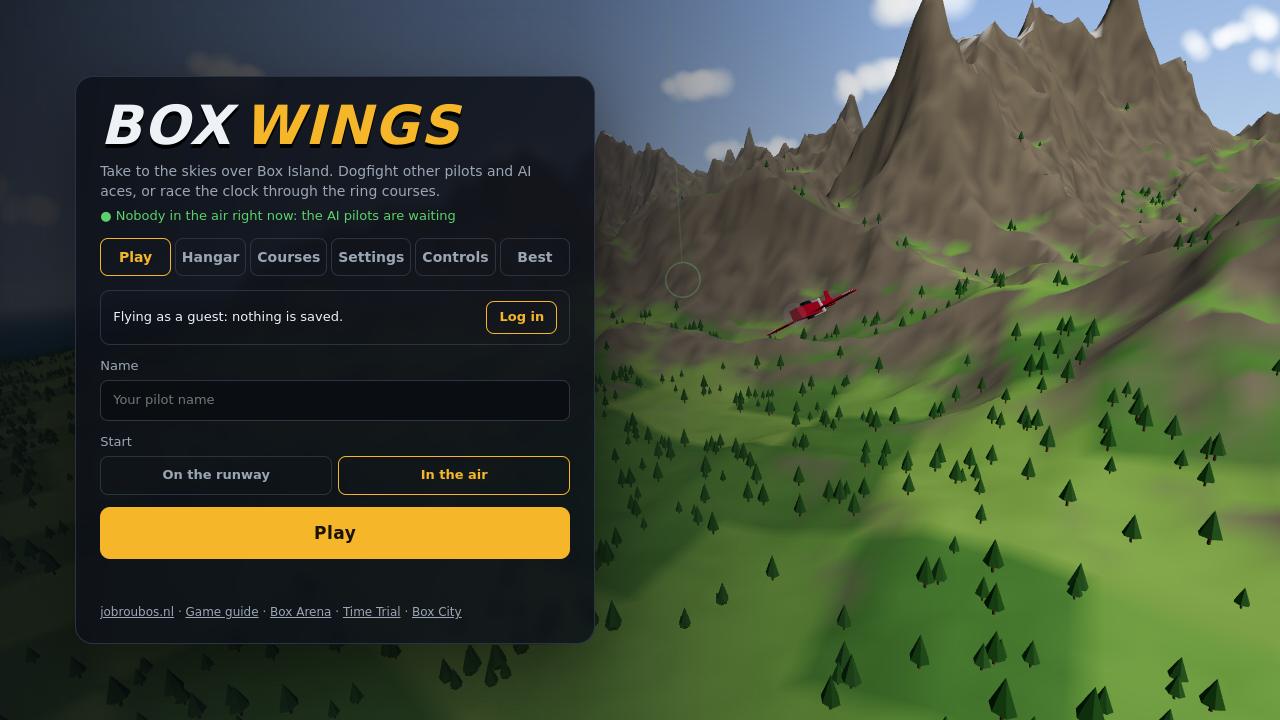
Box Wings
Flight and dogfights over a big island: four planes, homing missiles, AI aces and timed ring courses.
Before you start
- Use the www address:
www.jobroubos.nl. All four games run in the browser: nothing to install. - One login for everything. The account you make here works in all four games. Guests can play too, but only accounts keep stats, records, money and settings.
- Click the game to grab the mouse; Esc gives it back and opens the menu. A gamepad works in all four.
- Slow computer? Every game has a Graphics option in its settings. "Low" helps a lot on laptops and phones.
First-person shooter · up to 8 players
Box Arena
Short, fast rounds on hand-built maps. Pick a loadout, drop in, and be the first to the kill target. After each round everyone votes for the next map and mode.
How a round works
Win the round
In free-for-all the first player to 10 kills wins. In team modes it's the team total. Other modes have their own goal (see Modes).
Dying is short
You're back after 3 seconds, with 2.5 s of spawn protection. A killcam shows how you went down: K skips it.
Vote for what's next
Between rounds there are 15 seconds to vote: press 1, 2 or 3. Each option is a map plus a mode. Most votes wins; a tie is a coin flip.
Health comes back
You have 100 health. Stay out of trouble for 4 s and it refills at 8 per second.
Headshots count
Every gun does extra damage to the head: from ×1.25 for shotguns to ×2.8 for the Hand Cannon. The tables below show each weapon's multiplier.
Ammo pickups
Ammo boxes around the map refill your guns. They come back 20 s after someone takes one.
Controls
All keyboard keys can be changed in Settings → Keys. Logged-in players get their keys on every computer.
While aiming a throw, the right mouse button switches between a long and a short throw. The arc you see is exactly where it will go.
Moving well
Speed
- Walking: 7 m/s. Sprinting: 12 m/s.
- Stamina: 150. Sprinting uses 20 a second and it comes back at 30 a second.
- Aiming down sights slows you to 66% and crouching to 45%.
- Your weapon matters too: light guns and knives make you faster, heavy ones slower (the Move column in the tables).
Tricks
- Slide: press C while sprinting for a quick burst of 15 m/s. It's great for diving round a corner.
- Crouch makes you a smaller target and quieter.
- Jump pads launch you up and forward. Ladders take you straight up: walk into them.
- Grappling Hook (a sidearm choice): hook a wall or a roof edge and get pulled up to it.
- Rocket jump: with the RPG, shoot at your feet as you jump. It hurts, but it takes you places nobody expects.
Game modes
Modes come up in the map vote. Some maps are made for one mode (Capture the Flag maps have flag bases, for example). Admins can switch modes on and off, so not all of them are always in the vote.
Free-for-all
Everyone against everyone. First to 10 kills.
Team deathmatch
Red against Blue with even, shuffled teams. Kills add up for your team. Friendly fire is off: your bullets pass through teammates.
Gun Game
Everyone gets the same gun. Each kill moves you to the next weapon on the ladder, and the first to get a kill with the last one wins. Getting knifed sends you one step back.
Capture the Flag
Grab the enemy flag and bring it to yours. You only score while your own flag is at home. First to 3 captures, or the most after 4 minutes (a tie goes to sudden death).
- A dropped flag: touch your own to send it home, or it goes back by itself after 20 s.
- The flag carrier moves at 90% speed and can't use a primary or the grappling hook.
★ Special Weapons
Free-for-all, but only with the special weapons: bullets that bounce or pierce walls, freezing, chain lightning, poison, life steal and more. You pick a separate loadout for this mode.
The Blind Echo
A horror mode for 3 or more players, on its own map (The Resonance Abyss), when it's in the rotation. One player becomes the Echo. Everyone else is a survivor.
- The Echo is blind: it only sees sound, as ripples that light up the room and outline whoever made them. One hit kills. Q is a Sonar Scream that reveals survivors; E is a Shadow Leap onto ceilings and beams.
- Survivors have flashlights in total darkness. Power Pylons A, B and C (hold E), or just stay alive. Sprinting, jumping, reloading and above all shooting make noise; crouching is silent.
- Survivor kit: Flares (light, no sound), Acoustic Decoys (fake footsteps and gunfire) and Chaff Clouds (swallow your sound).
- Caught survivors come back as Glitch Drones, whose scans show survivors to the Echo.
Tournaments
Admins can start a tournament: team deathmatch, players vs bots, or a duel, best of 1 to 7 rounds. Anyone not playing in a duel watches.
Bots sometimes join to fill up a quiet server. They're marked as bots on the scoreboard, and kills on bots don't count towards achievements.
Your loadout
You carry four things, picked from the loadout screen (from the menu, or Esc during a match):
Primary
Your main gun: rifles, SMGs, shotguns, snipers, launchers…
Sidearm
A pistol, or a gadget like the Grappling Hook.
Melee
Always there, never needs ammo, and you're quick with it out.
Equipment
One kind of throwable, refilled every life.
Changes apply the next time you spawn. Logged-in players can save loadout presets, and the loadout screen shows your kills with every weapon.
Weapons live
Every weapon in the game right now, with its real numbers. Click a column to sort. Damage is per bullet (×pellets for shotguns), Rate is shots per minute and Move is your speed with it out.
Loading the weapons from the game…
Equipment live
Hold G to aim and release to throw. You get the number shown each life. Ammo boxes don't refill it.
Loading…
Maps
The maps in the rotation at the moment. "Any" means it can come up with any of the normal modes.
Want your map in there? The map editor is open to everyone (see below).
Achievements live
Logged-in players unlock achievements as they play. You'll see a pop-up under the minimap. Kill achievements only count against real players. Find yours under Stats & achievements in the menu.
Loading…
Stats, the map editor and chat
Leaderboard and profiles
Kills, K/D, wins, accuracy, headshots and play time for every account: the leaderboard. Click a name to see their profile. You can hide your own profile from the menu.
Build a map
The map editor works in the browser: blocks, ramps, shapes, jump pads, ladders, lights, spawns and ammo. Walk around your map in 3D. To send it in you need a verified account. You can have 3 ideas waiting at a time, and an admin reviews them.
Chat and reports
T opens the chat. A word filter is on. Someone ruining the game? Use /report name what happened, or Esc → Report a player. Several reports in an hour mute a player automatically.
Tips
- Watch the minimap: enemies show up on it for a moment when they fire. Every shot gives you away too.
- Pick weapons that fit the map. Use shotguns and SMGs in Maze and Greenhouse, and the Marksman, Hunting or Sniper Rifle on Skybridge and Twin Bridges.
- Reload behind cover, not in the open. The sidearm (2) is quicker than reloading when someone's right in front of you.
- A Flashbang works best on someone looking at it; a Smoke blocks sight but not bullets.
- Callouts like Double trouble, Long shot, Payback and killing sprees are announced to everyone. A Shutdown is ending someone's spree.
- In The Blind Echo, survivors who don't shoot live longer. The Echo hears gunfire across the whole map.
Racing · solo or up to 8 friends
Time Trial
Hot laps against the clock. Beat your own best with your ghost car alongside, climb the leaderboard of every track and car class, build your own tracks, or race your friends in a lobby.
Getting started
Pick a track, laps and a car
Choose 1, 3 or 5 laps, or Endless to keep going until you stop. Your laps run back to back: the line that ends one starts the next.
Race your ghost
A see-through ghost drives your best lap next to you. You can also pick Record to chase the fastest lap on the board, or click any driver on the leaderboard to race their ghost.
Checkpoints and splits
Each lap has checkpoints. At each one you see whether you're ahead (−) or behind (+) your best. Cut the track and it doesn't count.
The leaderboard
Every track has a leaderboard for each car class, because a Formula car and a Rally car aren't a fair fight (and for each gearbox: automatic and manual have their own). Logged-in drivers' best laps go on the board, and the game checks every lap for shortcuts and impossible speeds. As a guest you can still drive and see your times, but they aren't saved.
Changing a track's shape or a car class's stats resets that board, so times are always comparable.
The cars got new physics on 28 October 2026, and the boards started again from zero. The times from before are kept: switch the leaderboard to Old physics to see them and watch those laps.
Controls
⚙️ Manual gearbox
Settings → Game → Gearbox: Manual and you shift the 6 gears yourself. Each gear pulls hardest in its own part of the speed range: in too high a gear the car bogs down (a quarter of the pull from a standstill in 6th), and at the top of a gear it hits the rev limiter and stops pulling. The gear and a rev bar (yellow: time to shift, red: the limiter) sit next to the speedometer. Shifted well it's exactly as fast as automatic. Manual laps go on their own leaderboards: switch the board between Automatic and Manual. In a lobby the host picks the gearbox: drivers choose, automatic only or manual only (an M next to a name means manual).
🎮 Controllers and wheels
A controller works in every menu: the D-pad or stick moves the highlight, A presses, B goes back, LB / RB switch tabs, Start drives; left / right change a slider or a choice.
A steering wheel and pedals (Logitech, Thrustmaster, Fanatec, Moza…): Settings → Wheel → Set up a wheel. Turn the wheel each way, press each pedal, the paddles, and an H-shifter's gears if you have one; then set the rotation, how much of it is full lock, deadzones and pedal curves. With a clutch pedal you can make the gearbox need it. The setup is saved on your account. (Browsers can't do force feedback.)
On a phone you can steer with buttons or by tilting the phone, at Gentle, Normal or Sharp sensitivity. It works upright and sideways. Press "⟲ straight" if your neutral position drifts.
How the cars drive
Boost
Taking corners at the limit, so the tyres squeal, or sliding with the handbrake fills the boost meter. Press E to spend it on a straight. Boost on top of top speed is how the fastest laps are done.
Grip, slides and downforce
The tyres have a limit. Go past it and the car slides. The rear steps out when you yank the handbrake, lift off the throttle suddenly mid-corner, brake hard while turning, or (in a rear-wheel-drive car) floor it out of a slow corner. Catch it with opposite lock and ease the throttle. Each car drives differently: the Muscle car is tail-happy, the Rally and Hyper cars are four-wheel drive, the Fiat pushes wide when you accelerate. Fast cars with wings (Formula, F1, Le Mans, Hyper) have downforce: the faster they go, the more grip and braking they get, so fast corners take more nerve than skill.
Assists
Settings → Game has three: traction control (no wheelspin), ABS (without it the wheels lock under hard braking and the car won't turn), and steering assist (keeps the car from turning past the grip). Each is Auto (on with keyboard, phone and controller, off with a wheel), On or Off. Off is a little faster in the right hands; the leaderboard doesn't care which you use.
Crests and jumps
Over a crest the car goes light: less grip and less braking until it settles. Take a sharp crest fast enough and the car leaves the ground. A hard landing bounces the car. Hit a barrier at an angle at speed and the car spins.
Grass and kerbs
Kerbs count as road. Grass slows you right down (how much depends on the car: the Rally car hardly minds). Barriers line every track: a glancing hit keeps most of your speed, while a head-on one costs a lot.
Damage
Hard hits dent the car and parts fly off. A car past its toughness is wrecked: it stops, waits and goes back to the last checkpoint. The time you lose is the penalty. A damaged car is a little slower. In time trials you can choose instead to start the lap again (Settings → Game → After a wreck): the car goes 150 m before the line, the wrecked lap doesn't count, and you cross the line already moving.
Tyres
Pick soft (red: +8% grip, +2% top speed, but they last only about half as long), medium (yellow: the all-rounder) or hard (white: 7% less grip and a touch slower, but they last 75% longer) on the menu or in a lobby. In multiplayer races with pit stops on they wear (never in solo time trials): worn tyres grip up to a third less, and at 0% your top speed is halved. Stop in a pit box for fresh ones, and press 1, 2 or 3 during the stop to change compound. The leaderboard shows which tyres every lap was set on.
🚀 Jumps and the bypass
Some tracks have a jump: a gap where the bridge is gone. Signs and a warning on screen tell you the speed it takes (on Broken Bridge, a city freeway at night, 200 km/h over an 84 m gap). Hit the ramp fast enough and you fly across; go faster and you fly further, so the landing deck is long. Too slow and you drop onto the street below: the car takes damage and carries on along the bypass. Where the track itself passes under a jump (like on Double Drop) you can drop onto it on purpose and drive that part again; landing on a part of the lap that's still to come wrecks the car, so there are no shortcuts. Canyon Leaps has ten jumps in a row on a desert viaduct, from 116 to 216 km/h (the last one takes a boost in a Sport car); the road underneath is the bypass and catches anyone who falls short. Five Crossings winds through a tight infield (hairpins, a chicane, esses), then climbs onto a deck that crosses back over those roads five times, every crossing a broken bridge (121–170 km/h): fall short and you're back on the infield below to drive it again. If your car can't reach the speed (or you'd rather not risk it), take the bypass before the jump: it's longer and slower. In the track editor, the Jump gap and Bypass tools build your own.
Standing or flying start
The first lap starts from standstill behind the line. Every lap after that is a flying lap, so in 3, 5 or Endless your later laps are usually the quick ones.
Car classes live
Each class has its own handling and its own leaderboards. Logged-in drivers keep their car and paint on every device.
Loading the cars from the game…
Grass = top speed on grass (km/h) · Boost fill = how quickly sliding fills the meter · Boost = extra km/h while boosting · Toughness = how much it takes before the car is wrecked.
Build your own car
Pick ★ Build your own in the car list to make one car of your own: give it a name, choose any of the 12 body shapes (from the Fiat 500 and the go-kart to the modern F1 car, the Le Mans racer and the lifted pickup) and spend 55 points over its 8 stats, at most 10 on one. You can also make stats infinite with the ∞ button: each one costs that stat's full 10 points plus 15 more (so two at most, with 5 points left for the rest), and gives it a power: top speed 1,000 km/h, acceleration 0 to top speed in about a second, grip barely slides, grass never slows you, steering razor-sharp, boost fill refills at once, boost never runs out, toughness indestructible. Every track has one Custom leaderboard where all players' own cars race each other. Changing your car's stats removes your Custom times (they were set with a different car); the name, body and paint can change any time.
The paint shop
Every car can be painted on the menu: body colour, a centre stripe or twin stripes in any colour, rim colour, and a standard, big or no rear wing. Other drivers see your colours in a lobby.
Tracks live
Tracks can have height: bridges, crossovers, banked corners and hairpins, or a whole hilly landscape like the real circuits Spa-Francorchamps (7 km), the Nürburgring Nordschleife (20.7 km, 290 m from the lowest to the highest point, with the banked Karussell), Circuit Gilles-Villeneuve, the Red Bull Ring (4.3 km, the steep climb to Remus, with its real buildings and grandstands) Circuit Zandvoort (4.25 km through the dunes by the North Sea, with the banked Hugenholtzbocht at 19° and Arie Luyendykbocht at 18°) Suzuka (5.8 km, the figure of eight with its real crossover bridge) and the Circuit of the Americas (5.5 km in Austin, Texas: the steep climb to Turn 1, the esses, the long back straight and the stadium section, with the observation tower and its red veil), the Autódromo Hermanos Rodríguez in Mexico City (4.3 km, through the baseball stadium, the Palacio de los Deportes' dome beside it), Sepang (5.5 km, the two long straights joined by the last hairpin), the Baku City Circuit (5.9 km of streets: the 2 km run along the Caspian and the narrow castle section by the old city walls) and Bahrain (5.4 km in the desert, at night under the floodlights, with the Sakhir Tower), all built from map data with their real hills. The biggest is the made-up Grand Oval: just two straights and two corners, but at the largest size a track can be (23 km a lap, 8 km straights, 30 m wide, corners banked 22°), with a pit lane, grandstands and a desert all round. Each track has its own scenery (meadow, forest, autumn, desert, snow or dusk), sky (sunny, sunset, overcast, rain or a floodlit night), and kerb and barrier styles. Some are decorated with Box Arena objects: those are solid, so hitting one hurts.
Loading…
Racing with friends
Lobbies
- Press Create lobby: you get a 5-letter code and an invite link.
- Friends type the code (or open the link) and press Join. Up to 8 drivers.
- The host picks the track, the laps and whether cars collide, then starts the race.
- A countdown, a race, the results, and back to the lobby for the next one.
Good to know
- After the winner finishes, the others get 45 seconds to finish too.
- Tyres: everyone picks their own compound in the lobby; the standings show what each car is on, and a pit stop can change it.
- Pit stops (host setting, from 3 laps, on tracks with a pit lane: Spa, the Nordschleife, Gilles-Villeneuve, the Red Bull Ring): your tyres wear and grip less. Drive into the pit lane (80 km/h limiter) and stop in the yellow boxes: 5 s for repairs, fresh tyres and a full boost. "Mandatory" means at least one stop, or 30 s is added to your time.
- With collisions on, cars bump each other. Everyone only pushes their own car, so it's fair whatever the lag.
- Lap times from a lobby race go on the leaderboard as well.
- Your colour in a lobby is your car's paint.
💬 Lobby chat
Every lobby has its own chat: in the lobby, on the results screen, and over the race while you drive or watch (new lines show for a few seconds). Press Enter to type (or / for a command), Enter to send and Esc to go back to driving; on a phone, tap 💬. While you type, the car doesn't steer.
- Log in to chat; guests can read along.
- The same rules as in Box Arena: a word filter, slow mode, and mutes that count in both games.
/report <name> <what happened>sends a report to the moderators.- Moderators can mute, kick (out of that lobby for 10 minutes), clear the chat (
/clear, or/clear 10for the last 10 messages), switch the track, end or restart the race, and send announcements to every lobby.
🚩 Race control
The host chooses what race control may use (the 🚩 Race control box in the lobby), and race control calls it when cars crash or stop on the track. The host can also call it from the race menu (Esc).
- Yellow flag: an incident ahead. Slow down and don't overtake.
- Blue flag: a car a lap ahead is right behind you. Let it through.
- Virtual safety car: everyone drives at 60% pace.
- Safety car: a yellow car leads the field at about 86 km/h. Nobody passes it, and "safety car in this lap" means racing starts again soon.
- Red flag: the race stops where everyone is. It restarts behind the safety car (rolling) or on five red lights (standing), as the host chose.
- No overtaking under flags or the safety car: give the place back within 10 s, or get +5 s on your time.
- Causing a crash (driving into someone so they're wrecked): +10 s, the third time the black flag. With 💥 Wreck = out on, a wrecked car is out of the race.
- Worn-out tyres (0%): half top speed until you pit.
Every flag, what causes it and what it does, with simulators to try it out.
Or switch on 🚫 No rules in the lobby: then there are no flags, no safety cars, no black flags and no time penalties at all (a mandatory pit stop isn't forced either), so standing still and driving backwards are fine.
🏴 The black flag
Standing still on the track or driving the wrong way gets a warning with a few seconds to fix it. A second warning, and then the black flag: you're out of that race (DNF), and the server keeps it that way until the next race. It doesn't count at the start, in the pit lane, while loading, under a red flag or behind the safety car, or after you've finished. A warning is forgotten after a long spell of clean driving.
💥 Arcade combat
A lobby mode (Mode: Arcade combat) for a fight instead of a race. Every car has 100 HP, a gun (hold F: it hits the car ahead of you, 6 damage) and a shield (X: blocks everything for 3 s, then 15 s to recharge). Drive through the blue boxes on the track to pick up one item, used with G:
- 🚀 Homing missile: locks on to the car ahead, 28 damage. A shield stops it.
- 💣 Mines: three behind you, 18 damage each. Drive round them.
- ⚡ EMP: 10 damage to everyone within 40 m, and no weapons or boost for 3.5 s.
- 🛢️ Oil slick: whoever drives through it slides.
- 🔧 Repair kit: +30 HP. A pit stop repairs 50.
- 🔥 Nitro: a full boost and 3 s of extra push.
The leaders mostly get things to defend with, the ones at the back things to catch up with. At 0 HP you're out of that race. Weapons are off in the pit lane, under the safety car and the VSC, and in the first 3 s. They never exist in a normal race.
🏆 Tournaments
Pick 2 to 8 races at Tournament in the lobby. Each race is on a different random track (never the same one twice), with the lobby's number of laps. Points per race are 25-18-15-12-10-8-6-4; a DNF scores nothing. Ties go to the driver with more wins, then the better finishes. The table shows after every race, and the next one starts by itself after a minute (or when the host starts it). Works in combat mode too.
There are also ready-made tournaments in the same list: a fixed series of tracks with their own laps, set up by the admins, that also decide the car, gearbox, pit stops, mode and rules (and sometimes their own points) for the whole series.
🚗 Same car for everyone
The host can set Car in the lobby to one class: everyone races that car (with their own paint and tyres), so it's down to the driving. Back in the lobby you have your own car again. Party mode rolls its own random class instead.
🔒 Logged-in drivers only
A logged-in host can switch on Logged-in drivers only in the lobby: guests can't join or watch it any more (the ones already in can stay). Handy for a private race with people from the leaderboard.
Build your own track
The track editor is open to everyone. In Simple mode you just draw the track: drag one loop with the mouse or your finger and it becomes a road. Corners that are too tight get rounded, the start goes on the longest straight, and a crossing gets a bridge. Pick the width, flat land or hills, and how hilly. Switch to Full to place control points by hand: the road follows them as a smooth curve. Give each point a height (for bridges and crossovers), a width and banking. The editor checks the rules for you:
- Up to 600 points, 25 km long and 350 m high.
- Roads that cross need at least 7 m of height between them.
- Slopes up to 25% and corners down to an 8 m radius.
- Raised roads get pillars and barriers automatically. Set the barrier distance per point, or leave a stretch open.
- Land: flat, or hills that follow the road. Add your own hills, valleys and lakes with the Landscape tool.
- Items: place Box Arena objects (blocks, containers, trees, ramps, lamps…) beside, on or above the road. Every item is solid.
- Pick the scenery, the sky, the kerbs and the barriers.
- Pit lane (Full mode): click from the edge of the track, along beside it, back to its edge; the barrier between becomes the pit wall.
- Checkpoints: every lap has 6 automatic ones; click the road to add up to 24 of your own. Wrecks and T send you back to the last one.
- Test drive your track before sending it in.
Send it in with a verified account (3 ideas waiting at a time). An admin reviews them, and good ones go live for everyone.
Tips
- Brake before the corner, not in it. Braking while you turn in tightens the line a little, which helps on hairpins.
- You don't need much handbrake. A short tap sets up a slide that fills the boost, but a long one scrubs speed.
- In a powerful rear-wheel-drive car, squeeze the throttle out of hairpins: floor it with the wheel turned and the back comes round.
- Racing with friends? Tuck in behind another car on a straight: the slipstream gives you a few km/h. (Laps that use a slipstream don't count for the leaderboard.)
- Save boost for the longest straight, and fire it as you come out of the corner, not halfway down.
- Race the Record ghost once you're close to the top: you'll see exactly where it gains.
- Wrecked or stuck? T is quicker than waiting.
Open world · everyone online in one city (up to 24)
Box City
A whole city to mess about in: traffic and people on the streets, cars to steal, jobs to take, a police force that doesn't like you, and the day turning to night every 24 minutes. Everyone online is in the same city.
Getting started
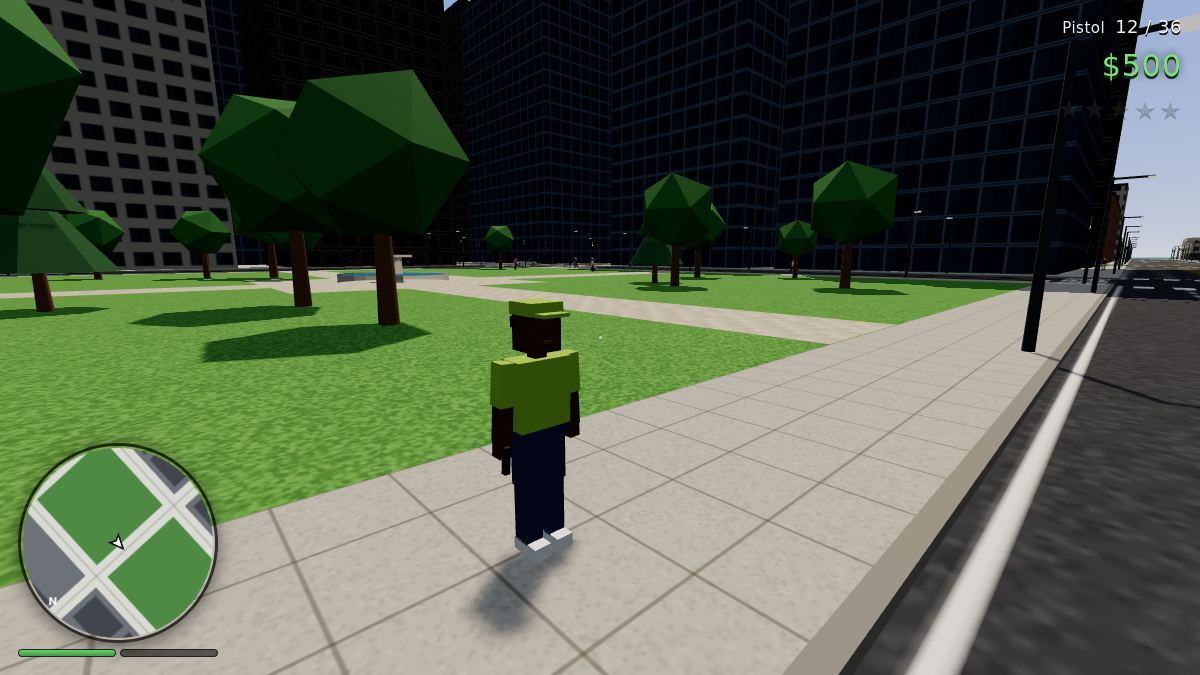
- Make a character on the menu (Character tab): skin, hair, clothes, shoes and build.
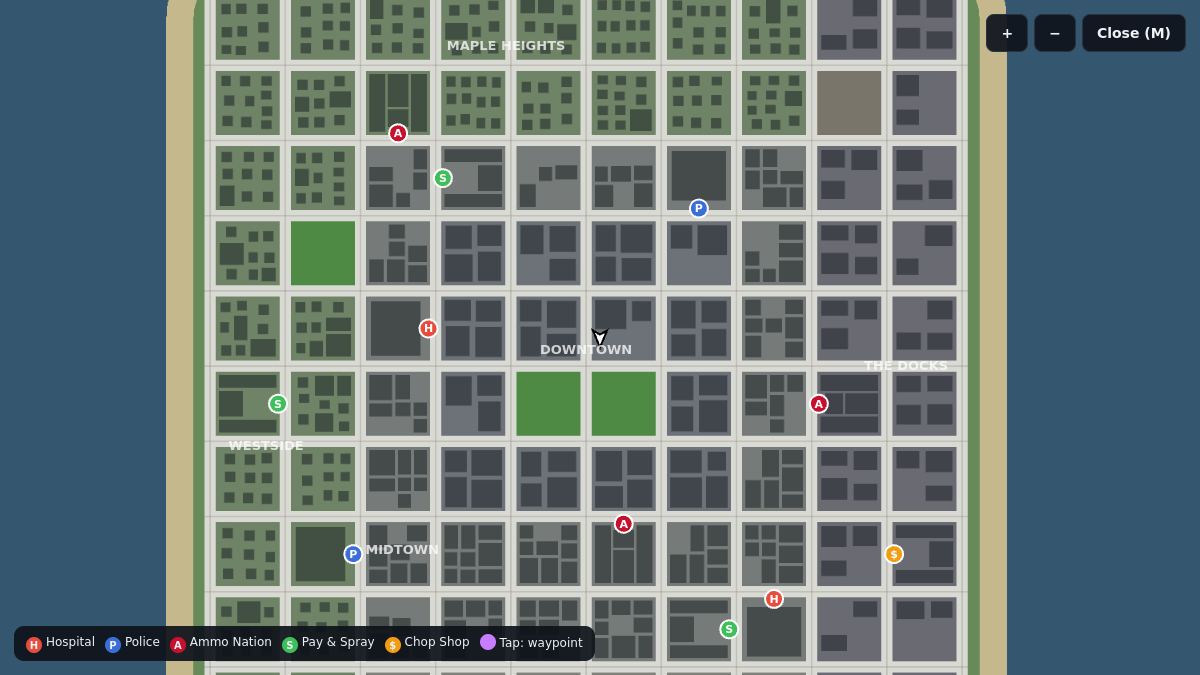
- The radar (bottom left) turns with you. Flashing red and blue dots are police. Coloured circles are places: H hospital, P police, A Ammo Nation, S Pay & Spray, $ Chop Shop.
- Your phone (J) has jobs, who's online, your stats and passive mode.
- The map (M): click anywhere to set a waypoint, and the GPS line on the radar shows the way by road.
- Logged in, your money, guns, armor, look, stats and where you were are all saved. As a guest you start fresh every time.
Controls
On a phone: a joystick on the left of the screen, drag on the right to look, buttons for shooting, aiming, jumping and cars. In a car the joystick steers and works the pedals.
Cars
- Parked cars are free to take. Cars with a driver get carjacked: the driver is pulled out. If anyone sees it, that's a crime.
- Taking a police car always brings the police. Police cars have a siren (Q).
- Cars dent, smoke and catch fire. A burning car explodes a few seconds later. Get out!
- There are ramps in the Stunt Yard (north-east). Big landings hurt the car.
- Driving into the sea sinks the car. You can swim out.
- G lets you ride along in a friend's car. Passengers (and drivers) can shoot from the car with the Pistol or SMG.
Loading…
The police and the wanted level
Crimes that somebody sees give you heat. The witness can be a police officer close by, or a member of the public. Heat turns into wanted stars, and the more stars, the harder the police come after you.
Loading…
Loading…
One star: arrest
At one star the police try to arrest you. Stand still next to an officer for a moment and you're BUSTED. You wake up at the police station and pay bail ($100 per star plus 3% of your cash).
Two stars and up: shooting
From two stars they shoot. Patrol cars chase and ram, officers get out when you're on foot, and from four stars a helicopter with a sniper joins in. At night it has a searchlight.
WASTED
Die and you wake up at the nearest hospital, with full health and your guns. The hospital bill is $100 plus 5% of your cash (at most $1,500), and your wanted level and any job are gone.
Losing the police
- The stars flash when no officer can see you. Stay out of sight long enough and they're gone: about 12 seconds at one star, up to 27 at five.
- Officers see further the more stars you have, and the helicopter sees almost everything below it. Get under cover, round corners, into alleys.
- Or drive into a Pay & Spray and stop. You get a new colour, new plates, a repair and no more stars for $250, as long as the police didn't see you go in.
Money and jobs
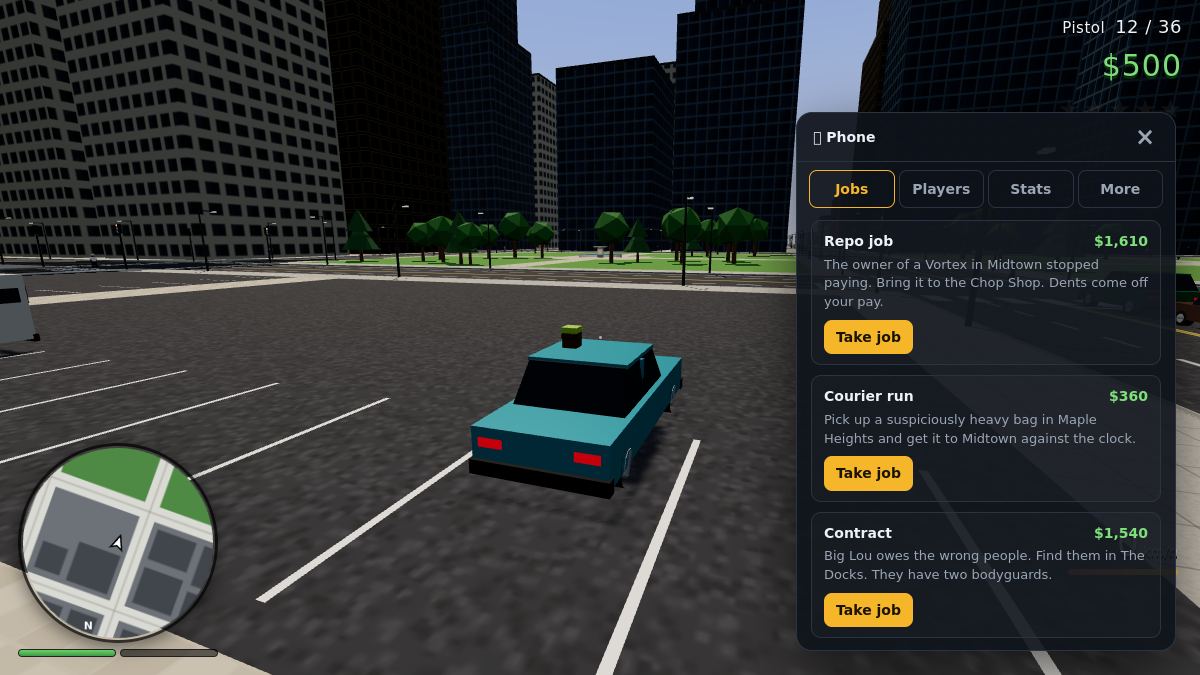
🚚 Courier run
Pick up a package somewhere in the city, then get it to the drop-off against the clock (the timer starts at the pick-up). Pays about $150 plus a bit per metre.
🔑 Repo job
A sports car, muscle car or SUV whose owner stopped paying. Find it, take it and bring it to the Chop Shop. Dents come off your pay, and half the time the owner calls the police.
🏁 Street race
Ten checkpoints through the streets from wherever you are. You need to be driving. Beat the clock to get paid; the longer the route, the more it pays.
🎯 Contract
Take out a target with two armed bodyguards. They spot you up close, and the target runs once shooting starts. Pays $1,100–1,800 and earns you a star.
Sell cars
Drive any car into the Chop Shop (east, at the docks) and press E. You get its value times its condition, and you can sell one every 2 minutes.
Pick things up
Cash, guns, armor and health are dotted round the city: by the fountain in Central Park, in the Stunt Yard, on the beach, on the shores. Taken pickups come back after 3 minutes. People drop cash too…
Bounties
Take down a player with two or more stars and you collect $150 per star, and it's no crime. A wanted player has their stars in red on their name tag.
What a job pays, roughly
Places
Loading…
Districts
- Downtown: the towers in the middle, with Central Park.
- Midtown: shops and offices all round it.
- Maple Heights: houses with gardens, north and west.
- The Docks: warehouses and container yards in the east.
- Boardwalk and Box Beach: the south shore.
- Stunt Yard: ramps for jumping cars, in the north-east.
Day and night
A full day takes 24 minutes. At night the windows and street lamps come on, and so do the headlights. The police helicopter's searchlight is easy to spot, so you know where it's looking.
Traffic stops at red lights and pedestrians cross on green, but nobody stops for you.
Guns and Ammo Nation live
Buy guns, ammo and body armor at any Ammo Nation: walk into the blue circle at the door and press E. Armor soaks up most of the damage until it runs out. Your health refills by itself up to half if you avoid trouble for a few seconds.
Loading…
Other players
Everyone's here
All players are in the same city. Name tags show who's who (✓ = logged in). You can ride in each other's cars, race each other and do jobs side by side.
Player vs player
You can shoot other players. Killing someone who isn't wanted gives you a lot of heat, while a wanted player is fair game and pays a bounty.
Passive mode
Just want to drive around? Turn on passive mode in the phone (More tab). Other players can't hurt you and you can't hurt them. You can't turn it on while you're wanted or in a fight.
Tips
- Do the first few courier runs to save up for armor and an SMG. The SMG is the best gun to shoot from a car.
- Wanted? Turn off the main road. Officers have to see you, and buildings block their view.
- Remember where the Pay & Spray garages are (the west side, the north-west and the south-east): they're the quickest way to lose stars in a car.
- A carjacked driver runs off and tells everyone. Park somewhere quiet, or take a parked car.
- Police cars are fast and tough. Steal one at your own risk.
- At four stars the helicopter is the problem: get between tall buildings and into alleys, where it can't see you.
Flight and dogfights · everyone in one sky (up to 20)
Box Wings
Fly low-poly planes over Box Island: a 9 km island with mountains, a canyon, a lake, two airfields and Box City itself. Dogfight other pilots and the AI aces, or race the clock through the ring courses. Everyone online shares the same sky.
Getting started
- On the menu, choose to start on the runway or in the air, and pick a plane and paint in the Hangar tab.
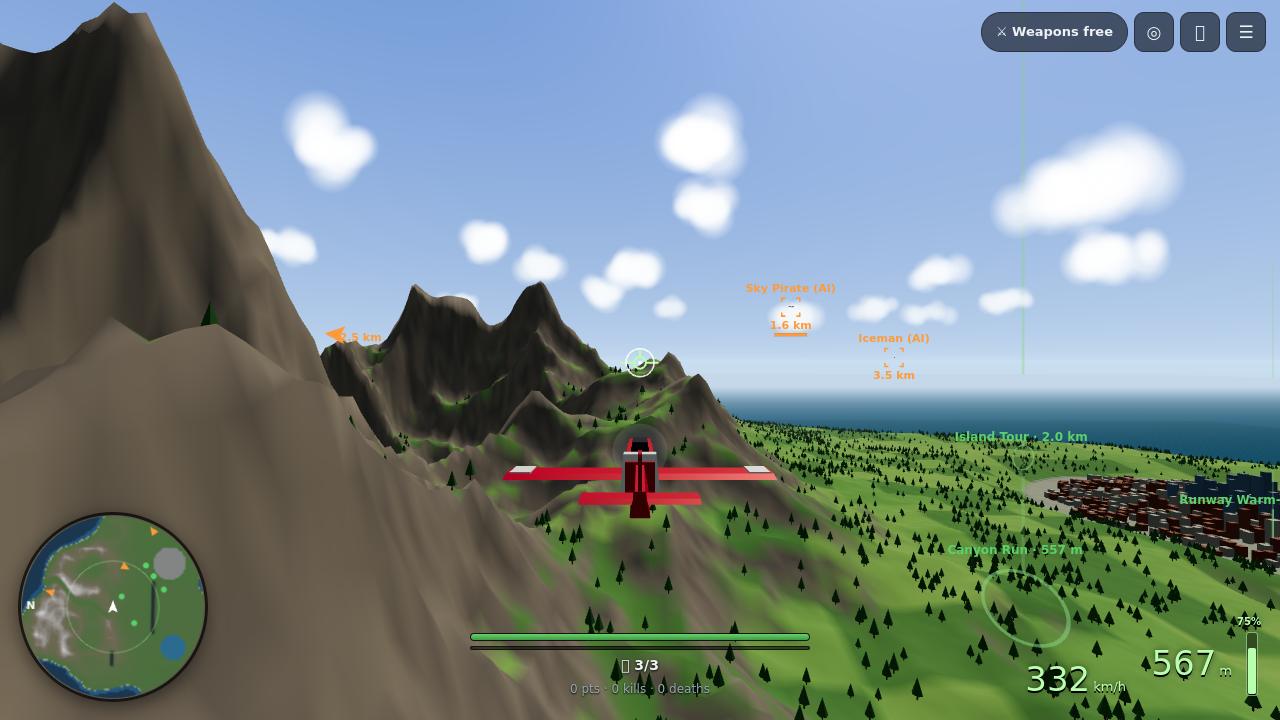
- Mouse aim: move the mouse and a white circle moves. The plane flies to it by itself, banking into the turn. The small green cross shows where the nose actually points, and the little circle with wings (the flight path marker) where the plane is really going. In a hard turn the two drift apart.
- Speed, height (and height above the ground when you're low) and the throttle are bottom right. Health, gun heat, missiles and flares are in the middle.
- The radar (bottom left) turns with you. The map (M) shows the whole island, everyone in the air and the courses.
- Logged in, your kills, points, plane, paint and course times are saved. Guests can fly, but start fresh every time.
Controls
Every key can be changed in Settings → Keys (the Controls tab on the menu always shows your current keys). Steering (Settings → Controls) has three modes: Mouse aim (the plane flies where you point), Mouse joystick (the mouse is the stick: move it away from the middle to pitch and roll; a circle on the HUD shows where the stick is) and Direct (keys or a gamepad only). On a phone: a stick on the left, and buttons for guns, missile, flares, throttle, camera, flaps and boost. Gamepad: left stick flies, right stick is the rudder, RT guns, A missile, X flares, RB/LB throttle, LT brake, D-pad ← flaps and → boost, Y camera, B look back. Dead zone, sensitivity and invert are in Settings.
How flying works
Taking off
- Throttle up with W (watch the bar bottom right).
- Roll down the runway. The help line tells you the lift-off speed for your plane.
- Once you're fast enough, move the mouse up (or press ↓) and you're flying. The wheels fold away on their own.
One or two notches of flaps (G) make the run shorter.
Speed is everything
- Climbing costs speed and diving gains it. Hard turns bleed speed too.
- The wing stalls if you fly slower than the plane's stall speed, or pull harder than the wing can take for your speed (that hard pull is what turns a slow fight into a stall). The plane shakes, the controls go soft and the nose drops. STALL means ease off the stick, nose down, more throttle.
- The plane carries momentum: the flight path swings round after the nose, quickly when fast and lazily when slow.
- Banking without pulling up makes you sink. PULL UP flashes when the ground is coming quickly.
- Above about 2,800 m the air gets thin; 3,200 m is the ceiling. Fly too far out to sea and you're told to turn back.
Landing
Come in slowly with full flaps, wings level, nose about level, and sink gently onto flat ground (the wheels come down by themselves when you're low and slow). Too fast, too steep or banked and it's a crash. Low over a runway the landing helper shows whether your speed, sink rate and wings are right. Runways are the safe place to land: Box Island International by the city and Pine Ridge Airstrip up in the western hills.
Flaps
Three positions: up, 1 and 2 (landing). Flaps lower the stall speed (about a quarter with full flaps), let you turn a little tighter when slow and shorten take-offs and landings, but they add drag. Fly too fast with them out and they blow back up; the HUD shows FLAPS 1/2 while they're out.
Boost
Hold Shift at full throttle for emergency power: an afterburner on the Viper, extra boost on the propeller planes. It adds a lot of thrust and a bit of top speed for about 9 seconds, until the engine gets too hot (the orange bar). Then it has to cool down before you can boost again.
Assists
Switch each on or off in Settings → Assists: stall protection eases off your pull just before the stall, ground collision avoidance pulls up by itself (AUTO PULL-UP) when you're about to fly into the ground but not when you're landing, and auto-level brings the wings back level when you let go of the stick.
Make it yours
Settings also has camera distance, height, smoothing and roll, units (km/h and metres, or knots and feet), the HUD colour and size, which markers and names to show, radar range, view distance, clouds, and separate volumes for engines, effects and warnings.
Repair and rearm
Stop on a runway (slower than about 43 km/h) and wait 3 seconds: you get full health, missiles and flares. While stopped on a runway you can press H to swap plane in the hangar. Nobody can hurt you on the ground on a runway.
Planes live
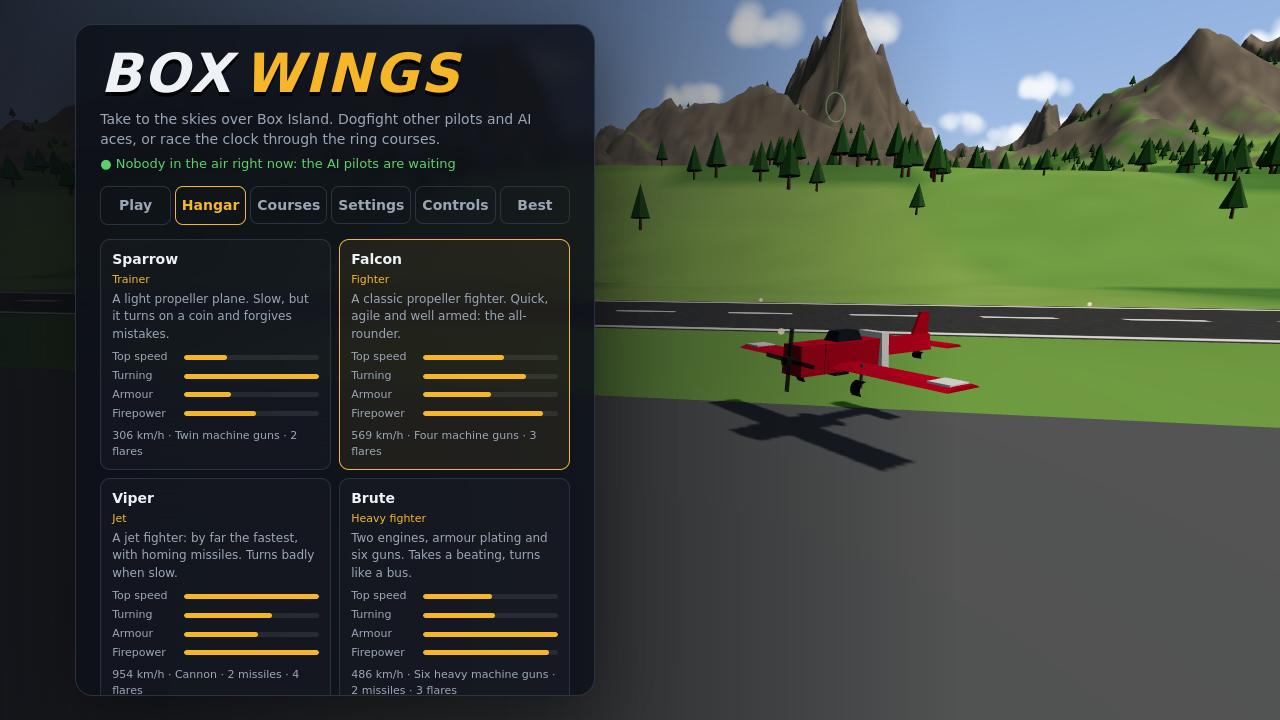
Loading…
Loading the planes from the game…
Stall = below this the plane drops · Lift-off = speed needed to take off · Turn = how fast the nose comes round at its best speed · Guns = damage per hit × hits per second.
Dogfighting
Guns
Bullets fly at 950 m/s and reach about 950 m. That takes time, so aim ahead of a moving plane: the lead circle next to the enemy shows where to point your nose. Fire in bursts, because guns that run too long overheat and jam for a few seconds (the thin bar under your health).
Missiles
The Viper and the Brute carry homing missiles. Keep an enemy in front of your nose, within 1.7 km: a yellow diamond closes in, and after 1.5 s it says LOCK with a steady tone. Fire then. A missile does 75 damage, so it rarely kills a healthy Brute on its own. Fired without a lock, it just flies straight. Used missiles come back by themselves, one every 30 s (or all at once when you repair on a runway).
Flares
LOCKED ON means someone is locking you. MISSILE! means one is on its way (a red marker shows where). Pop flares (F) when it's close: each missile within 800 m has a 70% chance to chase the flares instead. Flares come back one every 20 s. Turning hard helps too: missiles can't follow a target that gets behind them.
Points
Shooting down a pilot is worth 100 points and an AI plane 40. If someone flies into the ground or the sea with you on their tail, it still counts as your kill.
Shot down
Your plane goes down burning and spinning. After 3.5 s pick a plane and take off from the runway or start in the air. After spawning you can't be hit for a few seconds, and shooting ends that early.
Reading the HUD
Orange boxes are AI planes, red other pilots, blue peaceful or racing pilots (they can't be hit). The bar under each box is their health. Arrows on the edge of the screen point to enemies out of view.
Ring courses live
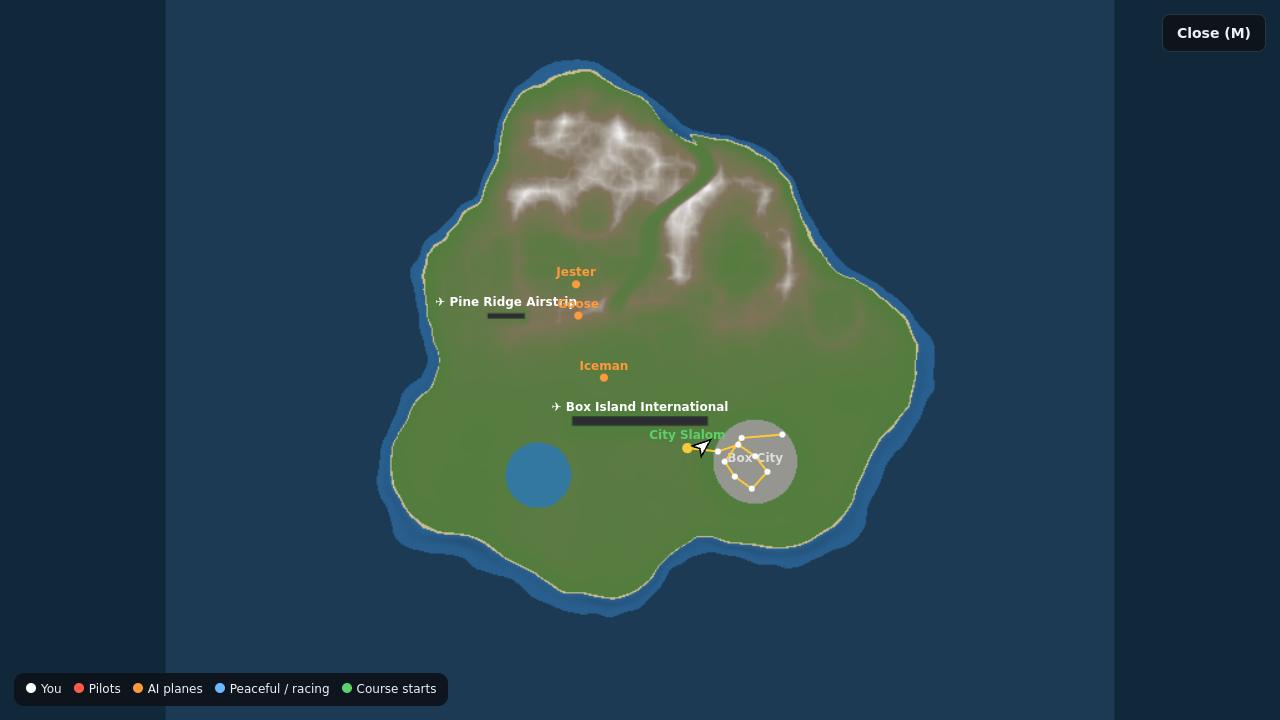
- Every course's first ring is out there, green with a tall beam of light. Fly through it and the course starts.
- Or press K: Start here puts you in the air just before the first ring, and Fly to the start shows you the way.
- Fly through the yellow ring next; the white one after it shows what's coming. The last ring is pink. The timer starts at the first ring.
- On a course nobody can shoot you and you can't shoot. You can't start one in the middle of a fight.
- The server times every run and checks each ring. Logged in, your best time per course goes on the Best leaderboard on the menu, along with the plane you flew. Any plane may be used.
Loading…
Other pilots and the AI
One sky
Everyone online flies on the same island. Logged-in pilots have a ✓. Tab shows everyone's points, kills and deaths, and T opens the chat.
AI aces
A few AI planes are always about: more when more people are fighting. They patrol, pick on pilots nearby, lead their shots and fire missiles from a Viper or Brute. They leave you alone on a runway, low near an airfield, on a course, in peaceful mode, and for the first 20 seconds after you spawn, unless you shoot them first.
Peaceful mode
Just want to sightsee? Press P (or the button top right). Nobody can hurt you and you can't hurt anyone. You can't switch it on while you're in a fight or have a missile on your tail.
Tips
- New to flying? Start with the Sparrow: it's slow, but it turns on a coin and is very hard to stall.
- Don't turn with the throttle off. Keep your speed up in a fight, and dive to get it back.
- Someone on your tail? Turn hard towards them, or climb and roll over the top, so they overshoot.
- The Viper is fast but turns badly when slow. Hit and run: dive in, fire, climb away.
- Damaged? Land, stop on a runway for three seconds and you're as good as new.
- On the Canyon Run, stay low between the walls. On the City Slalom, watch the rooftops.
For all four games
Help & questions
Do I need an account?
No, all four games work as a guest. An account (free, made on this site) keeps your stats, records, money and settings, puts you on the leaderboards, and gives you a ✓ next to your name. It's the same account in every game. Log in from any game's menu.
It runs slowly. What can I do?
Open the game's settings and set Graphics to Low (Box Arena also has dynamic resolution and an FPS limit). Time Trial has Auto quality, on by default: it measures the frame rate while you drive and picks Low, Medium, High or Ultra by itself; the Detail setting there turns the clouds, car reflections, grass and speed streaks down. Got a strong graphics card? Slide Graphics quality all the way to Insane (Auto never picks it): the photoreal mode. A physically based sky and sunlight, real photo textures for the asphalt, grass, sand, snow, concrete and rock, trees, grass and flowers made from scanned plants, realistic car bodies with clearcoat paint, glass you can see the seats through, spoked wheels and brakes, plus bloom, sun rays, ambient occlusion, motion blur (can be switched off) and a colour grade. It downloads about 30 MB of textures the first time. Close other heavy tabs. On laptops, plug in the charger: many slow the graphics card down on battery. Chrome, Edge and Firefox all work. Up-to-date versions run the games best.
The mouse doesn't turn the camera
Click on the game first: the browser only gives the game your mouse after a click. Esc always gives it back. If the camera spins on its own, try lowering the sensitivity in Settings.
No sound
Browsers keep pages quiet until you click or press a key. Click once in the game. Check the volume in the game's settings, and in Time Trial press M.
Can I play on my phone?
Time Trial, Box City and Box Wings have touch controls (and tilt steering in Time Trial). Box Arena plays best with a mouse and keyboard, or a gamepad. Turn the phone sideways and set Graphics to Low.
I got disconnected
When a game is updated, its server restarts for a moment. Box City and Box Wings reconnect you by themselves. In Box Arena and Time Trial lobbies, just join again. If a game says "the game was updated", reload the page.
Someone is cheating or being abusive
In Box Arena use /report name what happened or Esc → Report a player. Moderators read the reports, and a player reported by several people is muted automatically. In the other games, you can use the contact form.
Why did my times or stats reset?
In Time Trial, a leaderboard resets when its track's shape or the car class's stats change, so every time on the board was set under the same conditions. Box Arena stats and Box Wings course times are only reset by an admin.